# Few imports and global variables
from rich import print
import guardrails as gd
from IPython.display import clear_output
import time

Setup

Install and import the necessary validators from Guardrails hub
try:
    from guardrails.hub import LowerCase, UpperCase, ValidRange, OneLine
except ImportError:
    gd.install("hub://guardrails/valid_range")
    gd.install("hub://guardrails/uppercase")
    gd.install("hub://guardrails/lowercase")
    gd.install("hub://guardrails/one_line")
    from guardrails.hub import LowerCase, UpperCase, ValidRange, OneLine

1. For structured JSON output

Define the prompt and output schema

from pydantic import BaseModel, Field
from typing import List

prompt = """
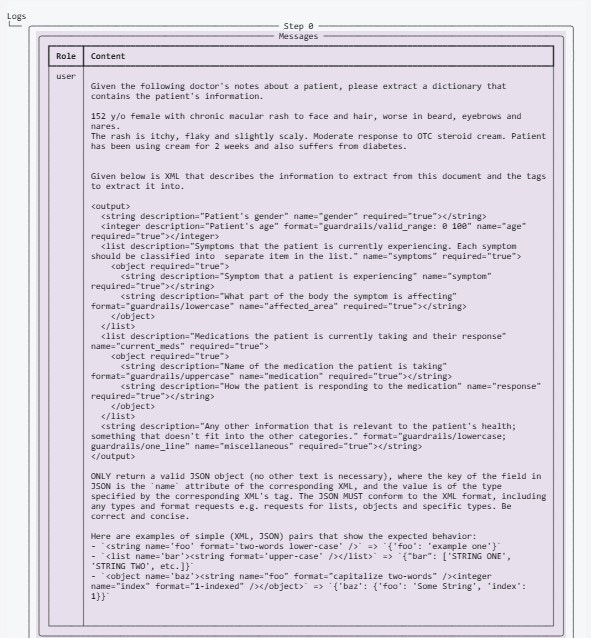
Given the following doctor's notes about a patient, please extract a dictionary that contains the patient's information.

${doctors_notes}

${gr.complete_xml_suffix_v2}
"""

doctors_notes = """152 y/o female with chronic macular rash to face and hair, worse in beard, eyebrows and nares.
The rash is itchy, flaky and slightly scaly. Moderate response to OTC steroid cream. Patient has been using cream for 2 weeks and also suffers from diabetes."""

class Symptom(BaseModel):
    symptom: str = Field(description="Symptom that a patient is experiencing")
    affected_area: str = Field(
        description="What part of the body the symptom is affecting",
        validators=[
            LowerCase(on_fail="fix"),
        ],
    )

class Medication(BaseModel):
    medication: str = Field(
        description="Name of the medication the patient is taking",
        validators=[UpperCase(on_fail="fix")],
    )
    response: str = Field(description="How the patient is responding to the medication")

class PatientInfo(BaseModel):
    gender: str = Field(description="Patient's gender")
    age: int = Field(
        description="Patient's age",
        validators=[ValidRange(min=0, max=100, on_fail="fix")],
    )
    symptoms: List[Symptom] = Field(
        description="Symptoms that the patient is currently experiencing. Each symptom should be classified into  separate item in the list."
    )
    current_meds: List[Medication] = Field(
        description="Medications the patient is currently taking and their response"
    )
    miscellaneous: str = Field(
        description="Any other information that is relevant to the patient's health; something that doesn't fit into the other categories.",
        validators=[LowerCase(on_fail="fix"), OneLine(on_fail="fix")],
    )

Create the Guard object

guard = gd.Guard.for_pydantic(output_class=PatientInfo)
Example 1: No streaming
By default, the stream parameter is set to False
# Wrap the litellm OpenAI API call with the `guard` object
raw_llm_output, validated_output, *rest = guard(
    model="gpt-3.5-turbo",
    messages=[{"role": "user", "content": prompt}],
    prompt_params={"doctors_notes": doctors_notes},
    max_tokens=1024,
    temperature=0.3,
)

# Print the validated output from the LLM
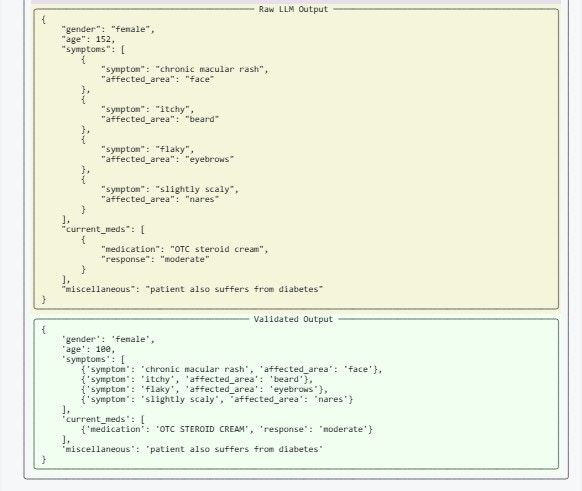
print(validated_output)
/Users/dtam/dev/guardrails/guardrails/validator_service/_init_.py:85: UserWarning: Could not obtain an event loop. Falling back to synchronous validation.
warnings.warn(
{
    'gender': 'female',
    'age': 100,
    'symptoms': [
        {'symptom': 'chronic macular rash', 'affected_area': 'face'},
        {'symptom': 'itchy', 'affected_area': 'beard'},
        {'symptom': 'flaky', 'affected_area': 'eyebrows'},
        {'symptom': 'slightly scaly', 'affected_area': 'nares'}
    ],
    'current_meds': [{'medication': 'OTC STEROID CREAM', 'response': 'moderate'}],
    'miscellaneous': 'patient also suffers from diabetes'
}
# Let's see the logs
print(guard.history.last.tree)
Screenshot2026 02 02222805 Screenshot2026 02 02222826
Example 2: Streaming
Set the stream parameter to True
# Wrap the litellm OpenAI API call with the `guard` object
fragment_generator = guard(
    model="gpt-3.5-turbo",
    messages=[{"role": "user", "content": prompt}],
    prompt_params={"doctors_notes": doctors_notes},
    max_tokens=1024,
    temperature=0,
    stream=True,
)

for op in fragment_generator:
    clear_output(wait=True)
    print(op)
    time.sleep(0.5)
ValidationOutcome(
    call_id='14411405568',
    raw_llm_output='{
    "gender": "female",
    "age": 152,
    "symptoms": [
        {
            
"symptom": "chronic macular rash",
            "affected_area": "face"
        },
        {
            
"symptom": "itchy",
            "affected_area": "beard"
        },
        {
            "symptom": "flaky",

"affected_area": "eyebrows"
        },
        {
            "symptom": "slightly scaly",
            
"affected_area": "nares"
        }
    ],
    "current_meds": [
        {
            "medication": "OTC 
steroid cream",
            "response": "moderate"
        }
    ],
    "miscellaneous": "patient also suffers 
from diabetes"
}',
    validation_summaries=[],
    validated_output={
        'gender': 'female',
        'age': 100,
        'symptoms': [
            {'symptom': 'chronic macular rash', 'affected_area': 'face'},
            {'symptom': 'itchy', 'affected_area': 'beard'},
            {'symptom': 'flaky', 'affected_area': 'eyebrows'},
            {'symptom': 'slightly scaly', 'affected_area': 'nares'}
        ],
        'current_meds': [{'medication': 'OTC STEROID CREAM', 'response': 'moderate'}],
        'miscellaneous': 'patient also suffers from diabetes'
    },
    reask=None,
    validation_passed=True,
    error=None
)
# Let's see the logs
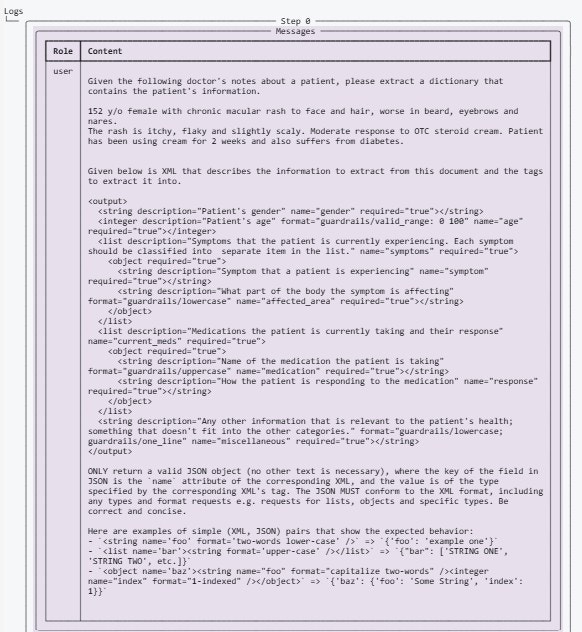
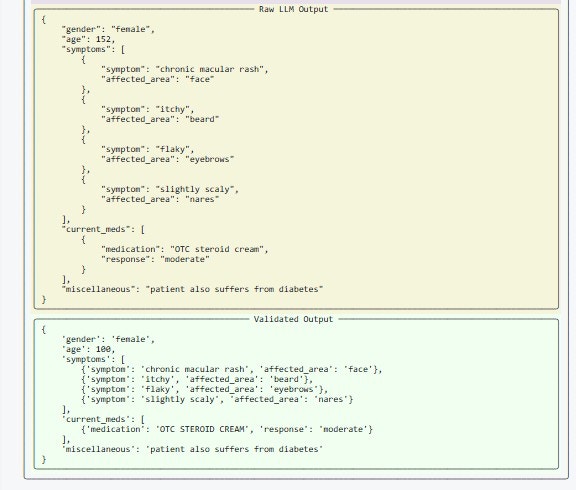
print(guard.history.last.tree)
Screenshot2026 02 02223222 Screenshot2026 02 02223245 As you can see here, the outputs in both examples match. The only difference is that, in the streaming example, the outputs are returned as soon as they are received and validated by Guardrails. In the non-streaming example, the outputs are returned only after the entire request has been processed by the API. In other words, when streaming is enabled, the API returns the outputs as soon as they are ready, rather than waiting for the entire request to be processed.

2. For unstructured text output

Define the prompt and Guard object with validators

from guardrails.hub import UpperCase, OneLine

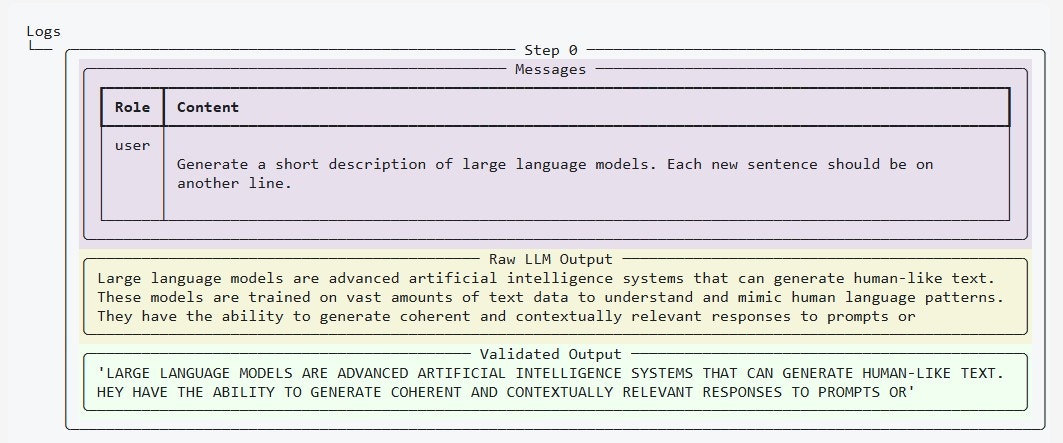
prompt = """
Generate a short description of large language models. Each new sentence should be on another line.
"""

guard = gd.Guard.for_string(
    validators=[
        UpperCase(on_fail="fix"),
        OneLine(on_fail="fix"),
    ],
    description="testmeout",
    messages=[{"role": "user", "content": prompt}],
)

Example 1: No streaming

By default, the stream parameter is set to False
# Wrap the litellm OpenAI API call with the `guard` object
raw, validated, *rest = guard(
    model="gpt-3.5-turbo",
    max_tokens=50,
    temperature=0.1,
)

# Print the raw and validated outputs
print(f"Raw output:\n{raw}")
print(f"Validated output:\n{validated}")
/Users/dtam/dev/guardrails/guardrails/validator_service/_init_.py:85: UserWarning: Could not obtain an event loop. Falling back to synchronous validation.
warnings.warn(
Raw output:
Large language models are advanced artificial intelligence systems that can generate human-like text. 
These models are trained on vast amounts of data to understand and mimic natural language patterns. 
They have the ability to generate coherent and contextually relevant responses to prompts or questions
Validated output:
LARGE LANGUAGE MODELS ARE ADVANCED ARTIFICIAL INTELLIGENCE SYSTEMS THAT CAN GENERATE HUMAN-LIKE TEXT. 

Example 2: With streaming

Set the stream parameter to True
# Wrap the litellm OpenAI API call with the `guard` object
fragment_generator = guard(
    model="gpt-3.5-turbo",
    max_tokens=50,
    temperature=0.1,
    stream=True,
)

for op in fragment_generator:
    clear_output(wait=True)
    print(op)
    time.sleep(0.1)
ValidationOutcome(
    call_id='14491466672',
    raw_llm_output=' or',
    validation_summaries=[],
    validated_output=' HEY HAVE THE ABILITY TO GENERATE COHERENT AND CONTEXTUALLY RELEVANT RESPONSES TO PROMPTS 
OR',
    reask=None,
    validation_passed=False,
    error=None
# See guard history
print(guard.history.last.tree)
Screenshot2026 02 02223937 As you can see, the outputs in both examples match. The only difference is that, in the streaming example, the outputs are returned as soon as they are received and validated by Guardrails. In the non-streaming example, the outputs are returned only after the entire request has been processed by the API. In other words, when streaming is enabled, the API returns the outputs as soon as they are ready, rather than waiting for the entire request to be processed.