Overview
In this document, we explain how to set up Guardrails with OpenTelemetry (OTEL) using either Grafana or a self-hosted OTEL collector. With this functionality enabled, you can measure latency of Guards, Large Language Models (LLMs), scuccess rates, and other metrics for your Guardrails-protected LLM calls. This guide will show how to set up your Python project to log traces to Grafana and to a self-hosted OTEL collector. For other OTEL endpoints, consult your metrics provider’s documentation on OTEL support.Please see our Telemetry concepts doc to get an idea of what metrics you can capture using OTEL.
Configure OTEL for Grafana
Grafana Cloud is a free offering by Grafana that’s easy to setup and is our preferred location for storing metrics.Get environment variables from Grafana
- Sign up with the Grafana cloud (it’s free!) https://grafana.com/auth/sign-up/create-user.
- Once your account is up, create a stack.
- Navigate away to https://grafana.com/ and click the “My Account” button on the top right of the screen
- Scroll down and click on the “Configure” button in the “Open Telemetry” section of the page
- Click “generate token”
- Compile the instance ID, token, and environment variables GRAFANA_INSTANCE_ID TOKEN OTEL_EXPORTER_OTLP_PROTOCOL OTEL_EXPORTER_OTLP_ENDPOINT OTEL_EXPORTER_OTLP_HEADERS
Setup a Guard with Telemetry
- First, install the
ValidLengthguardrail from PyPI.
pip install guardrails-ai-valid-length
- Next, set up your Guard and the default tracer provided in the guardrails library. You can still use your desired validators:
main.py
- Before running the file, make sure to set the environment variables you got from Grafana
- Finally, run the python script
View traces
There are two ways to view traces: using the Explore tab or using the Guardrails Grafana dashboard template.Use the Explore tab
The simplest way to do this is to go to your grafana stack and click on the “Explore tab. You should see a list of traces that you can filter by service name, operation name, and more.Use the Guardrails Grafana dashboard template
While this is easy to do, it’s not the best way to get a big-picture view of how your guards are doing. For that, we should use the Guardrails Grafana dashboard template. Use the template Template instructions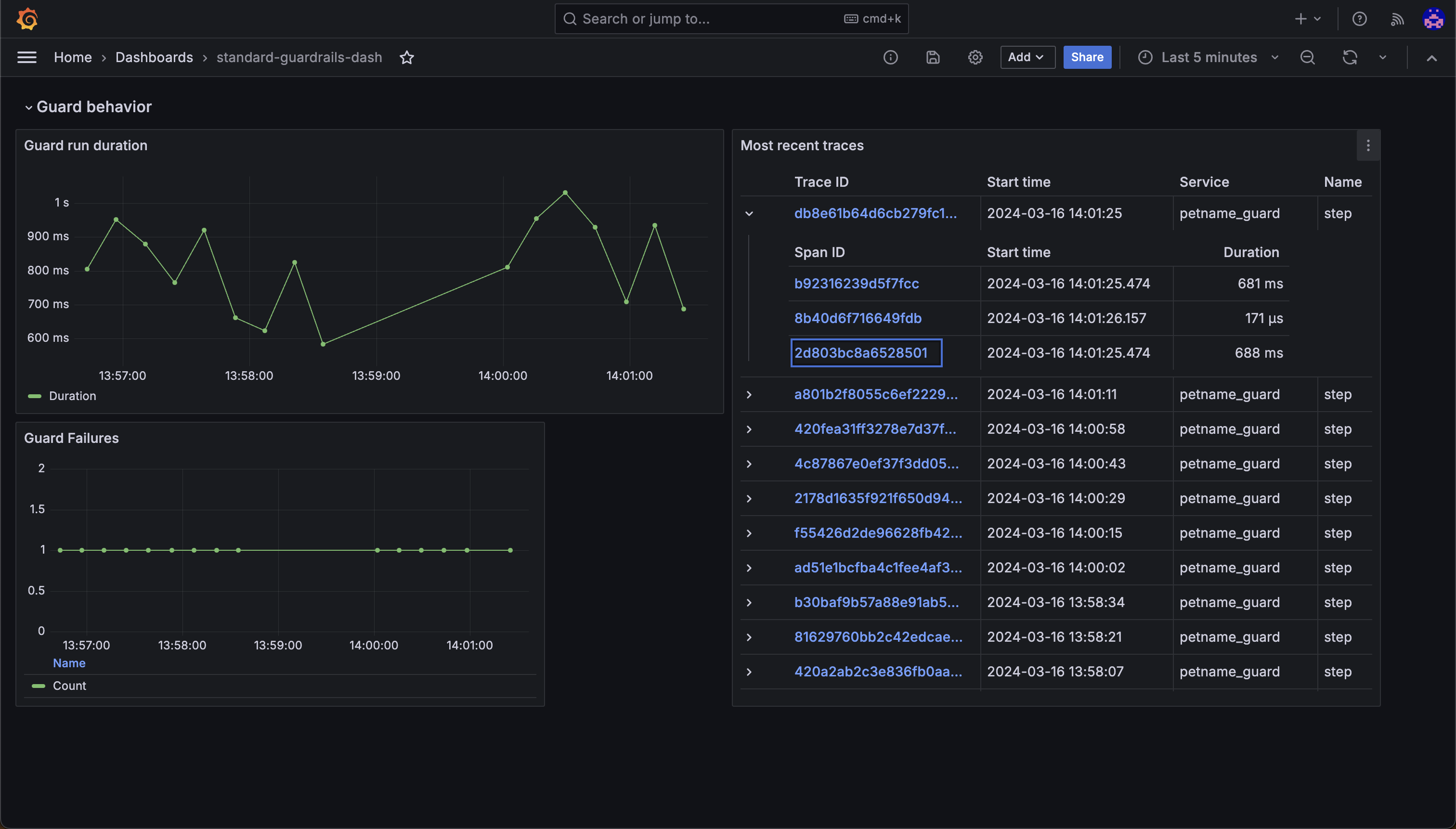
Configure OTEL for a self-hosted OpenTelemetry Collector
For advanced use cases (like if you have a metrics provider in a VPC), you can use a self-hosted OpenTelemetry Collector to receive traces and metrics from your Guard. Standard open telemetry environment variables are used to configure the collector. Use thedefault_otel_collector_tracer when configuring your guard.